
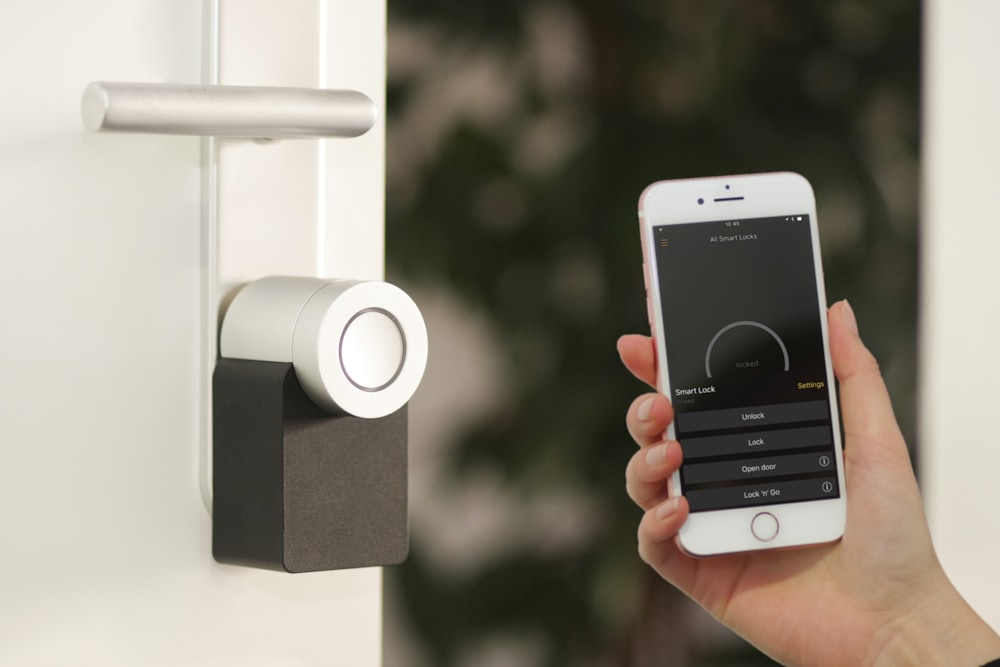
Thumbnail: The house that quietly takes care of you. No electrician required.
How to Automate Your Home Wi‑Fi, Lights & Locks (Beginner Guide)
It's 11:20 at night and you are lying in bed doing the thing every anxious human has done since doors were invented: wondering if you locked the front door. You could get up and check. You could also tell yourself you locked it. Or — and this is the part that changes everything — your phone could simply tell you, in plain English, "Front Door: Locked," without either of you moving an inch. That tiny moment, that exhale, is the real product of a smart home. Not the party tricks. Not talking to a speaker like a sci‑fi extra. Just a house that quietly answers the small questions that used to live rent‑free in your head.
Maybe you've wanted this for a while, but every time you looked into it, you bounced off a wall of jargon: hubs, bridges, Zigbee, Thread, Matter, 2.4 gigahertz, VLANs, ecosystems. It reads like a networking exam, and it makes people conclude that home automation is for engineers with spare weekends and disposable income. Here is the truth the industry buries under the acronyms: you can automate your Wi‑Fi, your lights, and your locks in a single weekend, with a screwdriver, a modest budget, and zero technical background. This guide is written for the complete beginner. We'll go in the right order — foundation first, magic second — and by the end, your home will lock itself, light itself, and tell you when it does.
Part 1: The Foundation First (Your Wi‑Fi Is the House the Smart Home Lives In)
Every beginner makes the same mistake: they buy the fun gadgets first and discover their Wi‑Fi last. But a smart home is only as reliable as the network underneath it. A smart bulb that drops offline every Tuesday isn't magic; it's a small annoyance you paid for. So before a single light bulb changes hands, we're going to spend thirty minutes making your Wi‑Fi worthy of the job.
Where Your Router Lives Matters More Than What It Costs
Wi‑Fi is radio, and radio hates obstacles. A router tucked inside a metal media cabinet, behind a television, in a corner of the basement is broadcasting through the worst possible obstacles from the worst possible position. Move it to a central, elevated, open spot in your home — a shelf in a hallway is perfect. Keep it away from microwaves, baby monitors, mirrors, and thick masonry walls. This single, free change often fixes more "smart home problems" than any purchase.
The Two Flavors of Wi‑Fi: 2.4 GHz vs. 5 GHz
Your router almost certainly broadcasts two networks, and understanding the difference takes one minute. 5 GHz is fast but short‑ranged — great for your laptop and TV streaming nearby. 2.4 GHz is slower but travels farther and punches through walls better — and here's the key fact: most smart home devices (bulbs, plugs, locks, sensors) speak only 2.4 GHz. This is why the classic beginner failure happens: your phone is on 5 GHz, the bulb wants 2.4 GHz, and the pairing handshake fails in a confusion of red error messages. When setting up a new device, if pairing misbehaves, make sure your phone is connected to the 2.4 GHz network during setup. That one tip will save you an hour of forum‑reading.
Do You Need New Equipment?
If you live in an apartment or a small home and your router is less than a few years old, you probably don't. But if your home is large, has multiple floors, or has that one dead zone where the guest room's smart plug sulks, the modern answer is a mesh Wi‑Fi system — two or three small units that blanket the whole house in one seamless network, eliminating dead zones without technical fiddling. It is the single best infrastructure purchase a smart home can get.
Security Basics (The Adult Ten Minutes)
A connected home is only as safe as its front‑door password. Do these five things and you're ahead of nearly everyone:
- Change your router's default admin password (the one printed on the sticker) to something unique.
- Use WPA2 or WPA3 encryption with a strong, unique Wi‑Fi password.
- Turn on automatic firmware updates for your router, or check manually a couple of times a year.
- Give your smart devices their own guest network if your router offers one — it separates them from the laptops and phones that hold your banking life. (Optional, but wise.)
- Use a different, strong password for your smart home accounts, and turn on two‑factor authentication wherever it's offered.
None of this is glamorous. All of it is load‑bearing. Do it now, on day one, and the rest of the project gets to be pure fun.
Part 2: Choose Your Ecosystem (Pick a Language, Then Speak It)
The second classic beginner mistake is buying five devices from five brands that speak five different languages, ending up with five apps and no automation. A smart home works when its devices share one ecosystem — one app, one voice assistant, one set of routines. So before you buy anything, look at what you already own, because the cheapest ecosystem is the one you're already carrying.
If your house runs on iPhones and you value privacy and polish, Apple HomeKit (the Home app, with a HomePod or Apple TV acting as the hub) is your natural home. If you live on Android or already own a Nest speaker, Google Home is the frictionless choice. If you have an Echo on the counter, Amazon Alexa has the largest device compatibility of all. And if you love tinkering and want one dashboard for everything, Samsung SmartThings is the friendly power‑user option. There is no wrong answer — the wrong move is choosing none and collecting strays.
The Good News: Matter
Here is the friendliest development in smart home history, and it makes beginner life dramatically easier: a universal standard called Matter, agreed to by Apple, Google, Amazon, and Samsung. A Matter‑certified bulb, lock, or sensor works with all the major ecosystems at once — no more lock‑in anxiety. When shopping, look for the Matter logo on the box (or at minimum a "Works with Alexa / Google / Apple Home" badge). Matter is the beginner's insurance policy: buy once, choose your ecosystem freely, change your mind later without throwing anything away.
Do You Need a Hub?
Sometimes, and it's simpler than it sounds. Many bulbs and plugs connect straight to Wi‑Fi and need nothing else. But some devices — especially sensors and locks — use low‑power radio protocols like Zigbee or Thread, which need a small translator called a hub or border router. The lovely part: you may already own one. A HomePod, an Apple TV, a Nest Hub, a newer Echo, or a SmartThings hub all act as hubs. So check your shelves before your wallet. When in doubt as a beginner, Wi‑Fi‑or‑Matter devices plus the speaker you already own will carry you surprisingly far.
Part 3: Smart Lights — The Perfect First Project
Lights are the gateway project of home automation, and for good reasons: they're cheap, they require no wiring, they take five minutes each, and they deliver joy on day one. There are three ways to make light smart, and choosing the right one per room is the difference between delight and a small daily annoyance.
Bulbs, Switches, and Plugs: The Three Paths
Smart bulbs screw into your existing fixtures and give you dimming, color, and schedules. They're the easiest start — but they come with the famous wall‑switch problem: if someone flips the physical switch off, the "smart" bulb is just a dead bulb, and your app and your schedules sulk in silence. Households with switch‑flippers should know about the second path.
Smart switches replace the wall switch itself, so the dumb bulb behind it becomes smart by proxy — and the switch keeps working like a normal switch, which your family will love. Installation involves a screwdriver and, in many cases, a neutral wire in the wall box (common in homes built after the mid‑1980s; some systems, like Lutron's, don't require one). If the idea of touching house wiring makes you nervous, that's completely fair — a licensed electrician can do a few switches in an hour, or simply choose path three.
Smart plugs are the zero‑commitment option: plug one into the wall, plug a lamp (or a fan, or a coffee maker, or a string of fairy lights) into it, and the lamp is smart. No wiring, no bulbs, no switch problem. For renters, plugs are pure gold.
Your First Setup, Step by Step
- Screw in the bulb or plug in the plug. Power it on.
- Open your ecosystem's app and choose "Add device." Follow the pairing prompts (remember: 2.4 GHz if it misbehaves).
- Name it by room and function: "Living Room Lamp," "Hallway Light," "Bedroom Ceiling." Boring names are good names — your voice assistant and your future self both depend on them. "Lava Lamp of Destiny" is funny exactly once.
- Assign it to a room in the app ("Living Room"), so you can later say "turn off the living room" and mean everything in it.
Your First Three Automations (The Ones You'll Actually Keep)
Resist the urge to build forty scenes on night one. Start with the three automations that earn permanent residency in almost every home:
- Sunset welcome: lights fade on at sunset (the app knows your local sunset time automatically), so the house is never dark when you arrive.
- Goodnight: one command — or one tap, or "hey, goodnight" — turns off every light, locks the door, and arms what you've armed. This single routine is the reason most people fall in love with the whole system.
- The 3 AM hallway: a small motion sensor under a hallway or bathroom light, active only from 11 PM to 6 AM, at 10% brightness. Nobody fumbles for a switch at 3 AM ever again. This one feels like living in the future.
Part 4: Smart Locks — The Door That Reports for Duty
Now the piece that answers the 11:20 PM question. A smart lock replaces or augments your deadbolt so the door can lock and unlock itself, report its state, and hand out keys that are codes instead of metal. There are two main flavors: full replacements, where the whole deadbolt (inside and out) is swapped for a keypad‑and‑thumbturn unit, and retrofit units, which mount on the inside of your door and simply turn your existing key's thumbturn with a quiet motor — invisible from the street, renter‑friendly, and reversible.
What to Look For (The Short List)
- A real security rating (look for ANSI/BHMA Grade 1 or 2 — this is the lock's report card for physical strength).
- Auto‑lock after a set delay, so the door locks itself even when you forget.
- A physical key backup or a keypad — because phones die, and you must always have a Plan B that doesn't have a battery.
- Decent battery life (most run months on AA batteries) with low‑battery warnings in the app.
- Matter or ecosystem support, so "goodnight" can include the door.
Installation, Honestly Described
Here's the secret: installing most smart locks is twenty minutes with one screwdriver. You remove the old deadbolt's two screws, install the new hardware, insert batteries, and let the lock "calibrate" by turning the bolt a few times while the app watches. The app then walks you through naming it ("Front Door"), setting auto‑lock, and connecting it to your ecosystem. If you can hang a picture frame, you can do this. If your door is old and sticky, fix the sticky door first — a smart lock cannot out‑muscle a misaligned strike plate, and no gadget can.
The Automations That Make It Worth It
- Auto‑lock after 2–5 minutes, every time, no exceptions. This is the core promise.
- Temporary codes for the dog walker, the cleaner, or your visiting sister — codes that expire on a date you choose and can be deleted in one tap. No more hidden spare key under the sad little fake rock.
- Arrival unlock (geofencing) for trusted phones, so the door opens as you walk up with arms full of groceries. Treat this as an advanced comfort, not a necessity — and keep the keypad as your reliable default.
- "Is it locked?" — the quiet one. A glance at your phone at 11:20 PM. The whole reason we're here.
One safety rule, stated plainly because it matters: never create a home you cannot enter without the internet. Keep the physical key somewhere sane (your bag, a trusted neighbor), keep the keypad code memorized, and test your Plan B once before you need it. A smart lock should add convenience on top of reliability — never replace it.
Part 5: The Glue — Sensors, Scenes, and the "If This, Then That" Mindset
Here is where a collection of smart gadgets becomes a smart home. The mental model is one sentence: when something happens (trigger), if a condition is true, do something (action). Sunset (trigger) + weekdays (condition) + turn on porch light (action). Front door opens (trigger) + after 10 PM (condition) + hallway to 30% (action). Everything you will ever automate is that sentence wearing different clothes.
The triggers come mostly from sensors — the unsung heroes of the smart home. Motion sensors see movement. Contact sensors feel a door or window open. Temperature and humidity sensors watch the bathroom and the basement. They cost little, stick to walls with adhesive, and last a year or two on a coin battery. Two or three sensors unlock more useful automation than any expensive gadget, because they let the house notice things.
Four Routines Worth Building in Week One
- Good Morning: bedroom lights fade up gently, bathroom light on, kitchen plug (coffee) on, thermostat eases to daytime temperature, and — if you like — a soft news or weather briefing from the kitchen speaker.
- Leaving Home: everything off, doors locked, thermostat to eco, and an optional camera armed. One tap on the way out the door, or automatic via geofencing when the last phone leaves.
- Movie Night: main lights off, bias and lamp lights to 15%, TV on. One phrase instead of four remotes and two switches.
- Goodnight: the housewide sweep — lights off, doors locked, plugs off, sensors armed. The routine that pays for the whole hobby in peace of mind.
And a word about voice: it's lovely, but it's a seasoning, not the meal. Voice shines for the hands‑full moments ("lights off" from under a blanket, "timer five minutes" over a cutting board). The real magic lives in the automatic routines that need no voice at all — the house simply behaves. Build the automatics first; add voice where it's genuinely faster than a switch.
Part 6: Security & Privacy — The Adult in the Room, Revisited
A connected home deserves connected‑home hygiene, and the good news is that the list is short and mostly common sense. Buy from reputable brands with real security track records and clear update policies — a no‑name $9 camera with an anonymous server is the one place false economy bites back. Keep device firmware and apps updated; those updates are mostly security patches wearing boring clothes. Use strong, unique passwords and two‑factor authentication on your ecosystem accounts, because the account — not the bulb — is the real front door.
For cameras specifically, know where the video lives: some process and store locally, some in the manufacturer's cloud; read the privacy policy in plain terms and choose what you're comfortable with, and point cameras at your own property, not your neighbor's kitchen window — courtesy is also security. And remember the separation trick from Part 1: a guest network for IoT devices keeps your banking laptop and your doorbell from being roommates. None of this should scare you; millions of families live happily in connected homes. The point isn't fear. It's the same sensible caution you'd give a house with good locks and working smoke alarms.
Part 7: A Realistic Beginner Shopping List (and Budget)
Money talks, so let's be concrete. Here is a sane, staged path — each stage optional, each one useful on its own.
- Stage 1 — The Taste (about $60–120): two smart bulbs or smart plugs for the rooms you actually live in, plus the speaker you may already own. Total setup time: one evening. Total joy: disproportionate.
- Stage 2 — The Peace of Mind (add $150–250): a smart lock for the front door, one motion sensor for the hallway‑at‑night trick, and one contact sensor for the door that's always left open by someone who swears they closed it.
- Stage 3 — The Whole House (add $200–400): mesh Wi‑Fi if you need it, a smart thermostat (which quietly pays rent by trimming heating and cooling bills), a video doorbell, and sensors to taste.
Notice what's not on the list: everything. The golden rule of beginner smart‑home spending is to buy solutions to problems you actually have, one stage at a time. The house will tell you what it wants next — the dark porch, the forgotten lock, the 3 AM hallway. Let real life write your shopping list and you'll never own a gadget that became a drawer ornament.
Part 8: The Classic Beginner Mistakes (So You Can Skip Them)
- Automating before stabilizing. Fix the Wi‑Fi first. A smart home on bad Wi‑Fi is a frustration factory.
- Collecting five ecosystems. One app, one voice assistant, one routine system. Variety lives in the devices, not the platforms.
- Clever names. "Lava Lamp of Destiny" breaks voice control and confuses guests. "Living Room Lamp" just works.
- Ignoring the wall switch. If your household flips switches, choose smart switches or plugs for those rooms, or add a switch guard — otherwise the smart bulb "breaks" every Tuesday.
- Forgetting the family. Your home has other users with zero interest in your app. Any automation that makes their life harder will be sabotaged, lovingly but effectively. The best smart home is invisible to everyone except the person who maintains it.
- No Plan B. Physical keys, memorized codes, manual switches. Every smart thing needs a dumb fallback.
- Building forty scenes on night one. Start with three. Keep what earns its place. Delete the rest without sentiment.
Part 9: Troubleshooting, the Calm Way
Something will go offline someday; everything connected does. When it happens, resist the urge to return the device or read fifty forum threads. Run the calm checklist, in order: power‑cycle the device (unplug/re‑insert batteries — the ancient ritual still works); check your phone is on 2.4 GHz if re‑pairing; move the device closer or add coverage if it's at the edge of range; restart the router; check for a firmware update in the app; and finally, remove and re‑pair the device, which fixes a surprising share of stubborn cases. Ninety percent of smart home "failures" dissolve somewhere in that list, usually at step one, usually to mild embarrassment.
Part 10: Frequently Asked Questions
I rent. Can I do any of this? You can do most of it. Smart bulbs, smart plugs, sensors, and retrofit smart locks are all non‑destructive and leave with you when you move. Keep the original deadbolt and switches in a labeled bag for move‑out day, and your deposit — and your automation — travel with you.
What happens when the internet goes down? More than you'd think. Most bulbs, switches, and locks keep working locally — physical switches still switch, keypads still unlock, and many hubs run routines without internet. What dies is remote access (checking the lock from work) and voice assistants that rely on the cloud. Another reason the dumb fallbacks matter.
Will this actually save money? The thermostat is the honest yes — trimming heating and cooling when nobody's home pays for the device over a couple of years. Smart plugs kill vampire power on forgetful devices. But the real savings are the unglamorous ones: the dinner not ruined because a light reminded you, the lockout avoided, the battery‑leak prevented by a notification. Some returns show up on the bill; the best ones show up as absent disasters.
I'm not technical. Be honest. Then you're exactly who this is for. Modern setup is: open app, tap "add," follow pictures, name the thing. If you can pair a Bluetooth speaker, you can build this house. The jargon in this article is for understanding; the experience itself is tap‑tap‑done.
Is Matter worth waiting for? For new purchases, prefer Matter‑certified devices when the price is comparable — it's the universal language that protects your choices. But don't wait for perfection to start; the standard is here, the big ecosystems honor it, and your first bulbs don't need to be immortal to be wonderful.
Conclusion: The House That Takes Care of You
There's a moment, usually about two weeks in, when you catch it happening: you walk to the front door with your hands full, and it simply unlocks. You leave, and the house quietly puts itself to bed behind you. At 11:20 PM you wonder about the lock, glance at your phone, see "Locked," and go back to your book. Nothing about that moment is spectacular. That's the point.
The best smart home isn't the one that performs; it's the one that disappears — a layer of small kindnesses under the surface of ordinary life, returning tiny pieces of attention and worry to you, every day, forever. You don't need an engineer's brain or an influencer's budget to build it. You need a weekend, a screwdriver, a short shopping list, and the willingness to start with the foundation and let the magic come second.
So start this weekend. Fix the router's address in the house. Screw in two bulbs. Hang the lock. Build the goodnight routine. And then, one ordinary evening, stand in the hallway and say the words — "goodnight" — and watch the house answer, light by light, click by click, until the last thing you hear is the front door locking itself, on time, as promised, while you're already in bed.